
Module 1: Math Fundamentals (Chapter 0)
Section outline
-
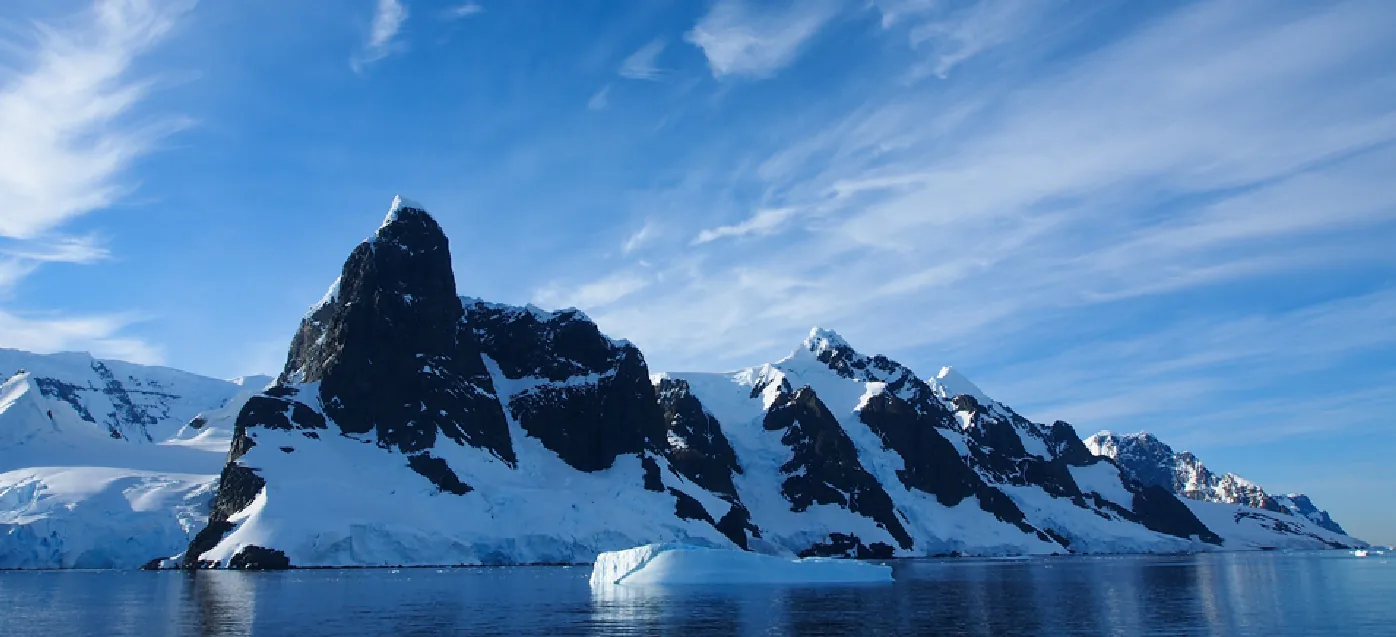
It’s a cold day in Antarctica. In fact, it’s always a cold day in Antarctica. The coldest temperature ever recorded, over one hundred degrees below zero on the Celsius scale, was recorded by remote satellite. It is no surprise then, that no native human population can survive the harsh conditions. Only explorers and scientists brave the environment for any length of time.
Measuring and recording the characteristics of weather conditions in Antarctica requires a use of different kinds of numbers. For tens of thousands of years, humans have undertaken methods to tally, track, and record numerical information. While we don't know much about their usage, the Lebombo Bone (dated to about 35,000 BCE) and the Ishango Bone (dated to about 20,000 BCE) are among the earliest mathematical artifacts. Found in Africa, their clearly deliberate groupings of notches may have been used to track time, moon cycles, or other information. Performing calculations with them and using the results to make predictions requires an understanding of relationships among numbers. In this chapter, we will review sets of numbers and properties of operations used to manipulate numbers. This understanding will serve as prerequisite knowledge throughout our study of algebra.
Image Caption: Earth’s southernmost continent, Antarctica experiences the coldest, driest, and windiest conditions known. (Credit: Andreas Kambanls)
(Content & Image Source: Chapter 1 Introduction, College Algebra with Corequisite Support 2e, Jay Abramson & Sharon North, OpenStax, CC BY 4.0 License)
Upon completion of this module, you will be able to:Section 0.1 Divisibility and Factorization
- Find the prime factorization of a composite number (CLO1)
- Find the least common multiple (LCM) of two numbers (CLO1)
Section 0.2 Proportions
- Use the definition of proportion (CLO1)
- Solve proportions (CLO1, CLO3)
- Use a graphing calculator to solve a proportion. (CLO1, CLO3, CLO6)
- Solve applications using proportions (CLO1, CLO3, CLO6)
- Write percent equations as proportions (CLO1)
- Translate and solve percent proportions (CLO1, CLO3)
Section 0.3 Unit Conversion
- Make unit conversions in the US system. (CLO1)
- Use mixed units of measurement in the U.S. system. (CLO1)
- Make unit conversions in the metric system. (CLO1)
- Use mixed units of measurement in the metric system. (CLO1)
- Convert between the US and the metric systems of measurement. (CLO1)
- Convert between Fahrenheit and Celsius temperatures. (CLO1)
Section 0.4 Scientific Notation
- Use the product rule of exponents. (CLO1)
- Use the quotient rule of exponents. (CLO1)
- Use the power rule of exponents. (CLO1)
- Use the zero exponent rule of exponents. (CLO1)
- Use the negative rule of exponents. (CLO1)
- Find the power of a product and a quotient. (CLO1)
- Simplify exponential expressions. (CLO1)
- Use scientific notation. (CLO1, CLO6)
Section 0.5 Order of Operations and Algebraic Expressions
- Classify a real number as a natural, whole, integer, rational, or irrational number. (CLO1)
- Perform calculations using order of operations. (CLO1)
- Use the following properties of real numbers: commutative, associative, distributive, inverse, and identity. (CLO1)
- Evaluate algebraic expressions. (CLO1)
- Simplify algebraic expressions. (CLO1)
Section 0.6 Percentages
- Use the definition of percent (CLO1)
- Convert percents to fractions and decimals (CLO1)
- Convert decimals and fractions to percents (CLO1)
- Translate and solve basic percent equations (CLO1, CLO3)
Section 0.7 Radicals and Rational Exponents
- Evaluate square roots. (CLO1)
- Use the product rule to simplify square roots. (CLO1)
- Use the quotient rule to simplify square roots. (CLO1)
- Add and subtract square roots. (CLO1)
- Rationalize denominators. (CLO1)
- Use rational roots. (CLO1)
Section 0.8 Working with Rates- Use the distance, rate, and time formula (CLO1, CLO3, CLO6)
- Carry out rate conversions for computations involving two or more properties (CLO1)
(Note: Alignment of MLOs might be needed if this course is taught as a co-requisite.)
To achieve these objectives:
- Read the Module 1 Introduction (see above).
- Read Sections 0.1 - 0.8 of Chapter 0: Math Fundamentals in Applied Algebra (links to each Section provided below)
- At the end of each Section there is a list of Key Concepts, Section Exercises, and a Glossary of terms
- Complete the MyOpenMath Homework Assignments for each Section (links provided below) - These are graded!
- Complete the MyOpenMath Quiz for Chapter 0 (link provided below) - This is graded!
- Once you complete the Quiz, upload your work in the Quiz for Chapter 0 Work Upload Assignment using the submission link below.
- Post in the Chapter 0 Q&A Discussion Forum - link provided below.
- Complete the Digital Skills - Using the online graphing calculator (Chapter 0) (link provided below) - This is graded!
- Complete the Digital Skills - Using AI for math help (Chapter 0) (link provided below) - This is graded!
- Complete the Digital Skills - AI reliability, first reaction post (Chapter 0) (link provided below) - This is graded!
Note the check boxes to the right that help you track your progress: some are automatic, and some are manual.Module Pressbooks Resources and Activities
You will find the following resources and activities in this module at the Pressbooks website. Click on the links below to access or complete each item.
For select assessments in this course, students will be allowed to use the following links to online graphing calculators:
- Desmos Calculator
- TI-84 Calculator Online (free version, but not sure how long it will stay active)
- TI-84 Plus CE (*Note: This link requires a paid subscription to be purchased by the student using a credit card.)
-
-
-
Students mustMark as done
-
-
Background Colour
Font Face
Font Kerning
Font Size
Image Visibility
Letter Spacing
Line Height
Link Highlight
Text Colour