
Module 6 Binary Operations
Section outline
-
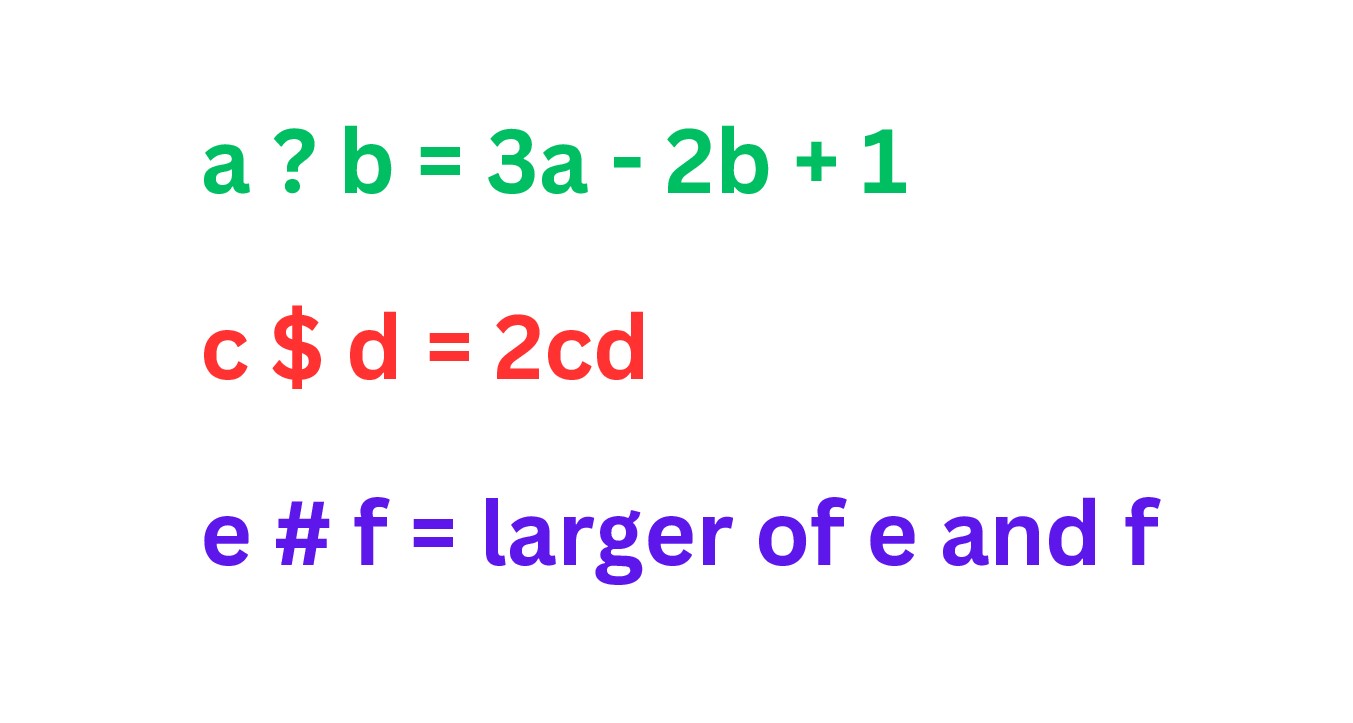
In this section you will be looking deeper into binary operations by going beyond addition, subtraction, multiplication and division. Here, you will be creating your own operations and investigating the commutative, associative, distributive, identity and closure properties. These basic properties and operations can be reviewed before moving on if necessary.
As you study these more advanced binary operations, you can see that you will be able to design problems that go beyond anything you have been able to do before. For example you might let "?" stand for the smaller of two numbers. If you look at 4 ? 7 then the answer would be 4.
Binary operations are used in computer science in areas such as data compression, encryption, networking and programming to name a few. Other fields like discrete mathematics and philosophy often use binary operations and systems with logic based on true/false statements.
Upon completion of this module, you will be able to:- Compute a binary operation for a defined operation.
- Determine if a binary operation holds true for the commutative, associative, distributive, identity and closure properties.
- Compute addition, subtraction, multiplication, and division problems using various strategies with or without technology.
- Be able to connect the current Louisiana Student Standards and NCTM Standards to the course content.
- Express mathematical ideas clearly and correctly both orally and in writing, for purposes of mathematics instruction.
To achieve these objectives:
- Read the sections below and work the embedded exercises within them.
- Complete MyOpenMath homework for this module.
- Complete the discussion forum for this module.
Module Pressbooks Resources and Activities
You will find the following resources and activities in this module at the Pressbooks website. Click on the links below to access or complete each item.
Background Colour
Font Face
Font Kerning
Font Size
Image Visibility
Letter Spacing
Line Height
Link Highlight
Text Colour